A pixel art generator for Mac that keeps it 1‑bit
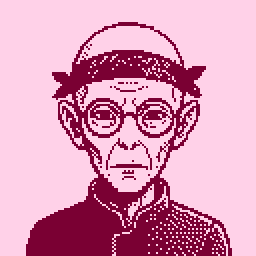
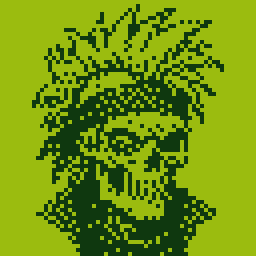
Pixxxel makes pixel-art characters. Pick traits, press Generate, and every render comes back as clean 1-bit pixel art, at 32, 64 or 128 px. It's a native Mac app, free on the Mac App Store.
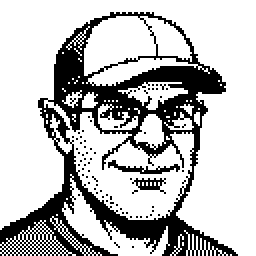
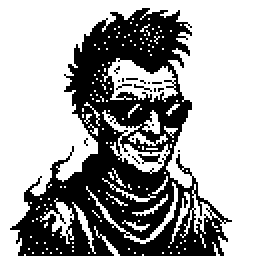
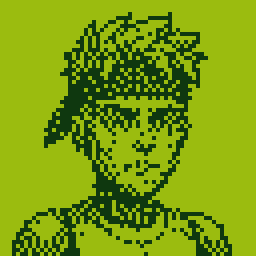
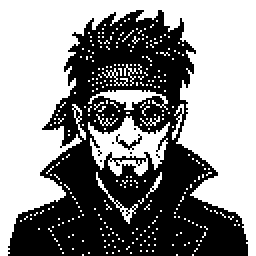
Generate a character, don't draw one
There are two ways to make pixel art. A pixel editor gives you a grid and you place every pixel yourself. A generator works the other way: you say what you want, and it renders the whole thing.
Pixxxel is a generator, built for characters. Instead of a blank canvas you get eight traits to set, so you can get to a finished character in a few rolls.
How it works
- Roll. Set eight traits: type, gender, age, hair, facial hair, eyes, expression and accessory. Or randomize them all and see who shows up.
- Lock. Keep what works. Lock a trait and reroll the rest, or start from one of fourteen archetype presets, like Wizard or Necromancer.
- Render. Press Generate (⌘↩). The image model draws the character, and Pixxxel's pipeline turns it into pixel art.
Why the output is real pixel art
Image models hand back a full-colour, full-resolution picture. Ask one for pixel art and you get something that looks pixelated but isn't on a real grid. Pixxxel doesn't keep that image. Every render goes through the same four steps:
So what lands in your gallery is always two tones on a true pixel grid, whichever model drew it.
What you can make
- Fifteen character types, including human, orc, alien, robot, ghost, vampire, skeleton, zombie, demon, elf, goblin and fairy.
- Fourteen archetype presets, from Wizard and Necromancer to Cyborg, Ghost Pirate and Detective.
- Eighteen duotone palettes, like Game Boy and Amber CRT. Black and white is the default; recolour any render and it stays 1-bit. Tap a palette again to swap ink and paper.
See characters made in Pixxxel.
Exports
Export a PNG at 64, 128, 256, 512 or 1024 px, or a scalable SVG. You can also copy a portrait or drag it straight to Finder. Every render auto-saves to the gallery, with a focus mode and filmstrip for going back through them.
Seven models, your own key
Pick the model on every render: Gemini, Imagen 4, GPT Image 2, FLUX.1 Schnell, SDXL, SD 3 Medium or Nano Banana Pro. You bring an API key from Google, OpenAI or Hugging Face, and renders bill to that provider directly. One provider is enough to start.
Free, with no subscription. Pixxxel itself is free. There's no markup and no per-image fee from us; you pay your provider for what you render.
Private. Your keys stay in your Mac's Keychain and go only to the provider you pick. Renders stay on your Mac. Pixxxel has no server and no account.
Needs macOS 15 or later and one API key.
New to API keys? Support lists where to get one; most providers have a free tier to start.